
Lockii changelog
Quality & Contracts
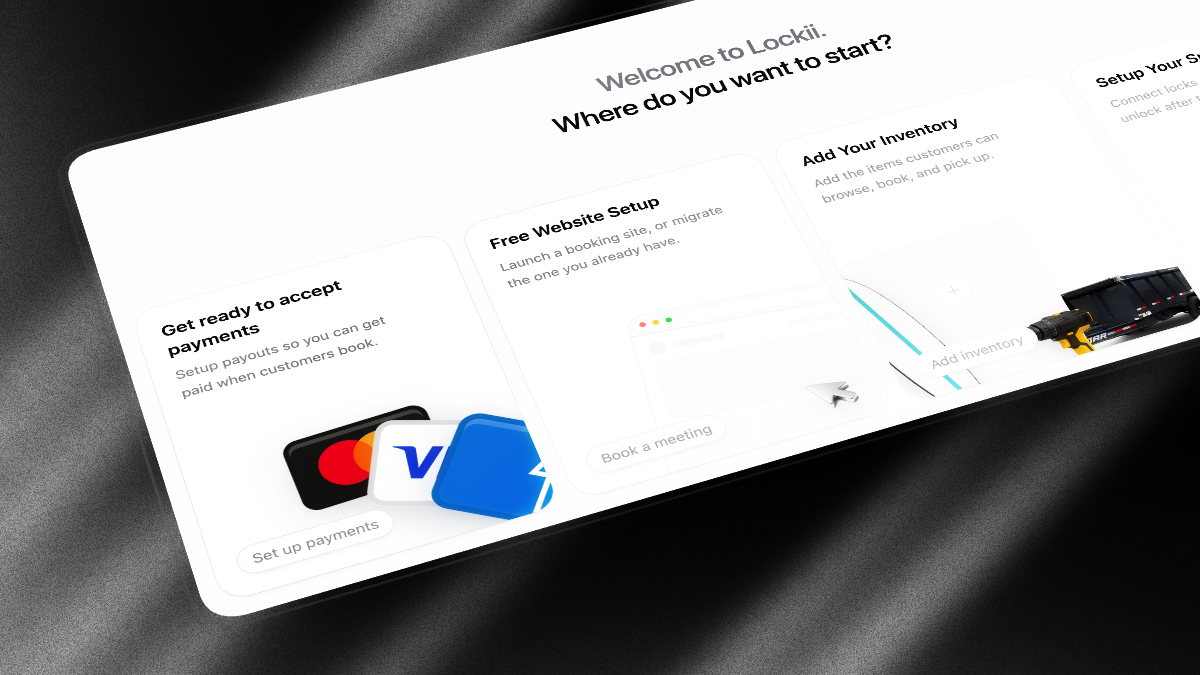
This release adds a maintenance hub for fleet service, a dedicated customer pickup flow, and optional rental agreement signatures at checkout.
Maintenance
A new Maintenance section in the sidebar shows fleet health, open work orders, and stock that needs attention.
Work orders - Create and manage service jobs with dates, priority, assignee, notes, and photos. Blocked dates automatically keep units out of availability.
Fleet Health - See which stock is hard down, soft down, or has open issues, filter by location or product, and report new issues from one screen. Hard down counts, open work orders, and due-soon parts sit on the maintenance home page.
Mobile maintenance - The Lockii mobile app has a Maintenance tab to browse, filter, create, and complete work orders from the field.
Work order urgency - Open work orders sort by urgency so the jobs that need attention appear first.
Missing maintenance setup - When maintenance is on, Maintenance shows a banner for new stock that still needs parts set up.
Order stock by issues - Sort fleet lists around reported issues and what needs attention, not only name or due date.
Customer Pickup
Customers now move to a focused pickup page when they tap Start Pickup, instead of doing every step on the confirmation screen.
Pickup instructions - Add up to four guided steps in Settings → Booking Flow to help customers find the unit, open a gate, or use a keypad. Use
{{code}}to show the lock code inside a step.Pickup video in Booking Flow - Required pickup videos now live alongside your other pickup settings in Settings → Booking Flow, with support for YouTube, Vimeo, and direct video links.
Clearer pickup order - When enabled, customers watch any required video, follow pickup instructions, then complete questions and photos before Lockii reveals the lock code.
Contracts and Checkout
Signature acceptance at checkout - Under Settings → Contracts, choose Signature instead of the default checkbox. Customers open your full rental agreement, type their name or draw a signature, and tap Sign & Accept before paying. Lockii stores the signature on the booking and includes it in the terms proof PDF.
Contracts settings tab - Terms, privacy policy, cancellation policy, and acceptance method now live under Settings → Contracts instead of Booking Policies. Your existing legal copy carries over automatically.
Clearer checkout errors - Field errors now appear directly under the relevant input and scroll into view, so customers can fix mistakes without searching for a generic message at the top of the page.
Flexible coupon codes - Customers can enter a promo code with spaces, hyphens, or mixed case.
SAVE-10,save 10, andSAVE10all match the same coupon. Lockii normalises codes the same way when you create them in Settings → Pricing Details.
Communications
Refreshed email design - Customer booking emails and staff inbox notifications use an updated layout that is easier to read on mobile. No changes needed to your communication plans.
Your address in email footers - Customer-facing booking emails, identity verification requests, and licence upload links now show your Business address from Company Details. Customers see your company name and location instead of a generic platform address.
Regional time formats - Settings → Company Details now includes 14h30 (France and French Belgium), 14.30 (Netherlands), and 14u30 (Belgium), alongside 12-hour and 14:30. Hire times in emails and on customer pages follow this setting.
Location details in emails - Communication plans can use
{{location.address_multiline}}to print the pickup address on separate lines, plus{{location.google_maps_link}}and{{location.apple_maps_link}}as button URLs for directions.Longer language labels - Short customer-facing phrases in Settings → Language now allow at least 18 characters, so translations of labels like Book Now are not cut off.
Welcome emails - New Lockii signups receive a welcome email with dashboard links and onboarding. Incomplete signups get a reminder to finish company setup.
One-off messages - Send a one-off email or SMS for a booking from the booking page. While editing a communication, Send test delivers a preview to you before customers see it.
Sign-in and Accounts
Select your company on sign-in - If your login belongs to more than one company, Lockii now shows a company picker after you sign in. Single-company accounts still open automatically.
Create another company - From the company picker, choose Create a new company to add another business under the same login.
Smoother new account setup - Brand-new logins without a company go straight to company setup instead of landing on a loading dashboard.
Homepage hints after signup - New accounts see guided empty states on Bookings, Stock, and similar pages, with a short next step instead of a blank table.
Staff Tools
Ask Lockii for everyone - The in-app Ask Lockii assistant is now available to all staff in the web app. Open it from the bottom bar for help with bookings, customers, and day-to-day tasks.
Ask Lockii opens the right page - For where-is questions, it can take you to the matching admin screen and search Lockii help docs instead of listing Settings steps. If something needs the Lockii team, it can file a ticket after you confirm.
Stock labels in Ask Lockii - Refer to units by the label customers see (
BK-1,stock1) when looking up, updating, or deleting stock.Attach files in Ask Lockii - Drop a screenshot or document into the chat on web. The mobile app can open or copy the record Ask Lockii points at.
Customer support times and returns - The customer-facing assistant shows hire times in your timezone. If a renter already returned, cannot finish drop-off, or is still getting overdue texts, the chat hands off to staff instead of looping.
Issue reports without maintenance parts - Customers can still log an equipment issue on a hire when the unit has no maintenance parts set up.
Faster verification link sharing - When you generate an identity or insurance verification link from a customer profile in the mobile app, Lockii copies the link and opens the share sheet so you can text or email it immediately.
Full change-request values on mobile - Tapping a truncated change-request field on mobile shows the full value.
Fixes
More reliable late charges - Automatic overdue extensions now skip duplicate charge attempts when the booking hold has not moved forward, and clear correctly when staff edit dates or a return completes.
Clearer verification errors - The mobile app now shows the server error message when it can't generate a verification link.
Pickup photo retries - Customer pickup and return photo uploads continue retrying on slow connections so fewer customers get stuck mid-flow.
Full-width text inputs - Message boxes in Ask Lockii, staff support chat, location notes, and customer language customisation now stretch to the full width of their container.
Utilisation spelling - Dashboard and widget labels now use the correct utilisation spelling.
Google location search - Address lookup is less likely to fail when Google rate-limits location searching.
Automatic Late Charges
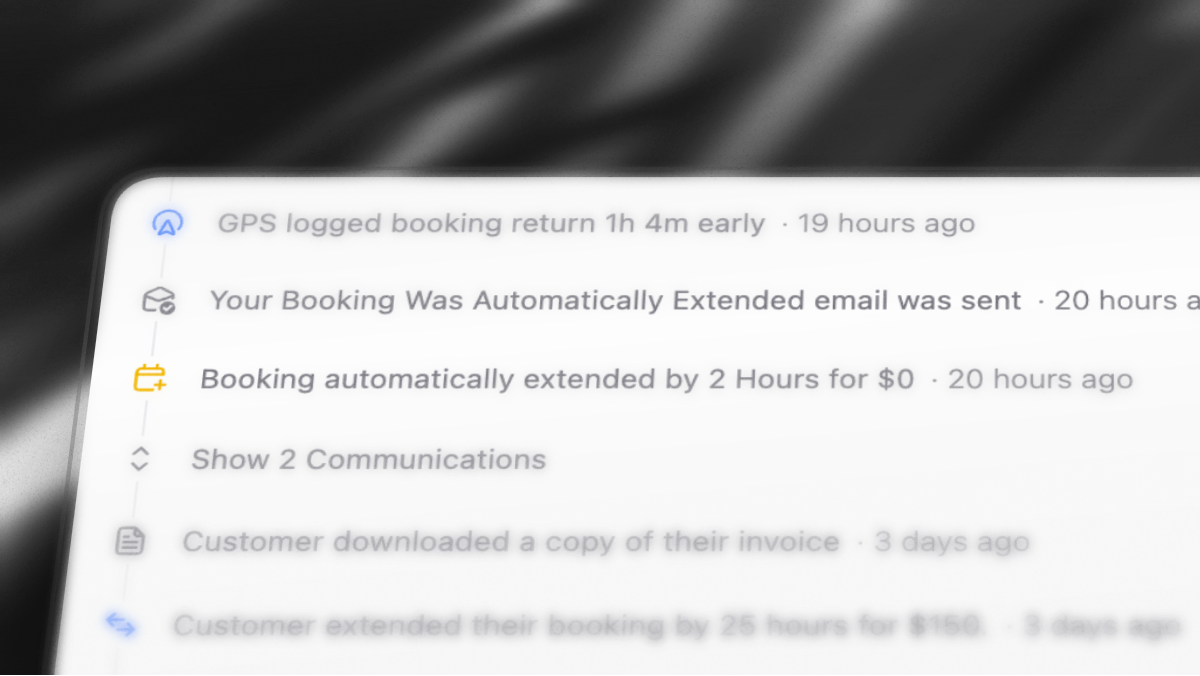
This release covers getting paid when hires run late, plus booking, marketplace, and day-to-day fixes.
Automatic Late Charges
Automatic late charges are now available for every account under Settings → Booking Policies.
When a booking is overdue past your grace window, Lockii checks GPS and the return form. If both show the item is still out, it charges the saved card, extends the booking by the length you set, and sends your auto-extension email. If the next booking would clash, it skips the charge.
You set two numbers:
Overdue buffer - how long to wait after the return time before charging (default 30 minutes)
Extension length - how long to extend the hire (default 2 hours)
You can turn late charges off on an individual booking if you do not want that hire extended. The Bookings report now includes late charge outcomes and collected versus failed amounts, including cases where GPS and the return form disagreed and blocked a charge.
Turning the setting on also creates a default customer email, Your Booking Was Automatically Extended, which you can edit like any other communication.
Bookings & Returns
Duplicate booking - Copy an existing booking into a new draft from More options on the booking. Customer, dates, products, add-ons, coupon, and pricing carry over so repeat hires do not have to be retyped.
Faster return visibility - Return photos and form answers show on bookings and in the mobile app as soon as the customer submits them, instead of waiting for GPS to confirm the unit is home.
Cleaner GPS alerts - Archived stock units no longer trigger pickup, return, or movement alerts from their trackers.
Marketplace, Payments & Photos
TrailerConnect - Publish Lockii trailers to TrailerConnect and pull marketplace bookings back onto your calendar with shared availability.
Manual payouts - Mark a payout as paid outside Stripe (bank transfer, cash, and similar) from the booking or payouts screen.
Sharper private photos - Handover, return, and comment images now load through a faster CDN with better image compression
Quo call and text links - Call and text buttons on Android now open the Quo app correctly. Previously, Android could not see the Quo deep link and fell back to the phone's default dialer or messages.
Customer last names - Booking lists, invoices, maintenance clashes, schedule bars, and the booking manage page now show first and last name, so two people with the same first name are easier to tell apart.
MPH and miles for US accounts - US accounts now see speed and distance in mph and miles (or feet for short distances) on the stock map, GPS return labels, and location zones. Other accounts still use km/h and kilometres.
Payments, terms, and booking tools
A big update focused on getting you paid, improving availability, and making day-to-day rental operations easier across web and mobile.
Payments & Revenue Recovery
Settle Up checkout - Customers with outstanding balances across multiple bookings can pay everything in one checkout before pickup or while managing their booking. Active hires keep access to their lock code while seeing a clear settle-up prompt.
Revenue Recovery - Retry declined saved-card charges automatically from a booking or customer profile, with clear Retrying, Failed, and Given up statuses. Customer Revenue Recovery can also collect outstanding balances across multiple bookings into a single Stripe invoice.
Manage payments permission - Control which team members can charge saved cards, enable Revenue Recovery, record manual payments, and issue refunds without giving them full settings access.
Customer payment totals - Customer profiles now show Paid, Unpaid, and Total amounts rolled up across all bookings.
Invoice paid and due totals - PDF invoices now clearly show how much has already been collected and what remains outstanding.
Mobile payments - From the iOS app, you can now charge saved cards, enter new card details, generate payment links, or record cash payments.
Availability & Scheduling
Location blackout dates - Block one-off closures such as public holidays, maintenance days, or private events without changing your regular weekly hours.
Split operating hours - Set multiple opening periods on the same day, such as morning and afternoon handover windows with a closed lunch break.
Maximum booking length - Set a maximum hire duration under Settings → Preferences. The limit applies at checkout, in the booking editor, and when customers extend their hire.
Smarter date and time pickers - Checkout, booking management, extensions, and the booking editor now only show valid hire windows based on availability, operating hours, blackout dates, and maximum booking length.
Return-aware hire padding - Stock becomes available sooner after an early return instead of remaining blocked until the original padded end time.
Pricing & Demand
Period pricing - Set optional hourly, daily, weekly, and monthly rates on products. Lockii automatically combines pricing periods and jumps to the cheaper rate where appropriate.
Demand Report filters - Filter lost-demand data by location, product, or category to see exactly where unavailable stock is costing you bookings.
Suggested Stock Movements - The Demand Report now highlights when underused stock at one location could be moved to another to recover repeated missed bookings, including estimated revenue upside.
Dashboard trends - Revenue, utilisation, and website session cards now show day-over-day movement alongside your existing dashboard stats.
Customer identity breakdown - The Customer Report now shows how customers were verified: Physical ID, Manual approval, or Not yet verified.
Customers & Communications
Overdue by variable - Automated overdue messages can now include exactly how late a hire is.
Terms agreement improvements - Terms agreements stay tied to the customer who accepted them. Changing the customer clears the agreement, staff can view proof PDFs, and agreements can be invalidated when a new signature is required.
Grouped activity timeline - Consecutive automated messages now collapse into expandable communication groups on booking and customer activity timelines.
Faster customer pages - Confirmation, pickup, and return pages now load and stay in sync without requiring full page reloads.
Mobile
Mobile push alerts - Revenue notifications now use a distinct sound, while attention-required alerts can use time-sensitive delivery to break through quiet modes on supported devices.
Improvements & Fixes
Pickup and return photo retakes - Customers can now retake a photo after a failed upload and continue pickup or return instead of getting stuck on a disabled button.
More reliable large photo uploads - Large gallery images, including HEIC photos from iPhones, get more time to upload on slower mobile connections before being treated as failed.
Checkout links - Checkout links continue working when customers return later to finish a booking they previously started.
Marketplace app security - Marketplace app tokens are now strictly limited to the Channel API. Channel-only connections can no longer access operator booking, stock, or customer endpoints.
Smart Stock Assignment & Checkout Updates
This release brings smarter stock assignment, better visibility into pickups and returns, and a faster customer booking experience alongside a long list of improvements across mobile, analytics, marketplace bookings, payments, and day-to-day operations.
Smart stock assignment and schedule planning
Lockii now automatically choose the best available stock item when a customer arrives for pickup.
When enabled Lockii now defers assigning stock until your customer is ready to pickup! We use this extra time to run our industry first machine learning model that optimizes stock assignment more and more with every single booking. It takes into account customers tendencies to extend bookings, how much bookings are normally extended, the time and date of the booking, as well as the maintenance status of the item and over 140 other data points.
At scale we’ve seen increases of up to 30% in booked inventory and 50% in change requests being approved.
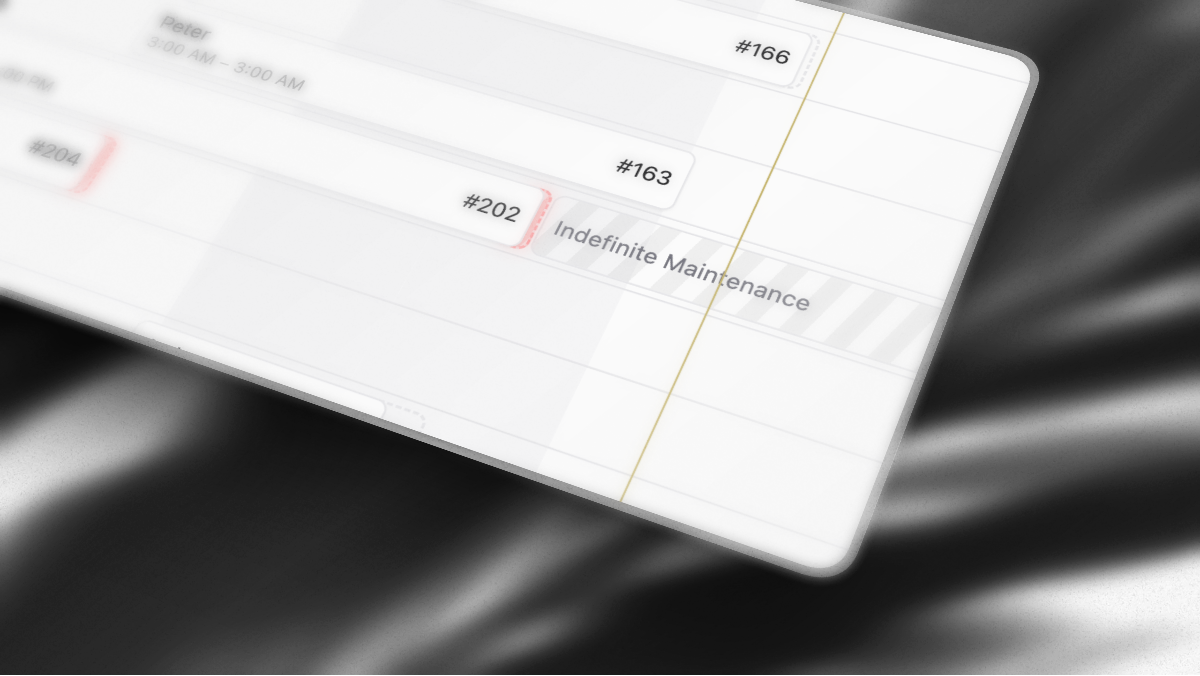
Unassigned bookings also appear as dashed predicted bars on the schedule, giving you visibility into upcoming demand without locking stock too early.
You can change your stock assignment mode anytime under Settings → Preferences.
Pickup and return Inbox alerts
You can now opt in to Booking Picked Up and Booking Returned notifications, giving your team confirmation when a hire starts and ends successfully without needing to watch the schedule.
Both notifications are off by default and can be enabled under Inbox → Configure Inbox on web or Profile → Notifications on mobile.
Lockii continues to prioritise problems over routine updates. If there is a pickup issue, return issue, or late return, the issue notification replaces the standard confirmation so your team isn't notified twice.
Faster checkout and customer booking pages
We’ve made significant performance improvements across the customer experience.
Checkout now loads and confirms payments faster, with less waiting between entering customer details, completing payment, and reaching the confirmation page.
Customer confirmation, pickup, and return pages also load faster and update as the booking changes without requiring full page reloads. Completed returns now appear immediately on the confirmation page.
We’ve also added a Book Again card to completed bookings, giving repeat customers a quick way to return to your browse page and start another rental.
Improvements and fixes
Per-day operating hours — Set each location to open 24 hours, closed, or custom operating hours for each day of the week. Availability automatically respects the schedule.
Booking Sources report — Booking Analysis now breaks completed hires down by source, including your website, instant links, checkout links, staff-created bookings, and marketplace providers.
Products Viewed analytics — Web Analytics now shows which product pages customers viewed most during the selected period.
Stock status filters on mobile — Quickly filter the Stock tab by status and combine status filters with product and location filters to check specific parts of your fleet.
Image attachments in comments — Attach up to four photos to internal booking and customer comments on web and mobile, useful for damage notes, parking locations, handovers, and other operational context.
More reliable pickup and return photos — Customer photo uploads now automatically retry when connections are unreliable.
Longer photo upload timeouts — Large photos uploaded from customer phones, including HEIC images, now have more time to upload on slower mobile connections.
Pickup and return photo retakes fixed — Successfully retrying a failed photo upload no longer leaves Start Your Booking or Complete Return disabled.
Cancel Revenue Recovery — Stop automatic card retries on an individual booking when payment has been collected another way.
Drag-and-drop add-on ordering — Reorder add-ons under Settings → Pricing Details. Customers and staff now see add-ons in the same order you configure.
Marketplace import email previews — Open the original marketplace confirmation email directly from the Marketplace Booking Imported entry in a booking's activity timeline.
Marketplace confirmation email handling — Instant confirmation emails are skipped for bookings created through connected marketplace apps, preventing customers from receiving duplicate confirmations. Scheduled reminders continue as normal.
Correct marketplace checkout pricing — Checkout emails sent for pending marketplace imports now show the resolved booking price correctly.
Mobile payment link QR codes — Creating a payment link in the mobile app now opens a QR code and sharing sheet after copying the link, making it easier to collect payment in person or send the link elsewhere.
Clearer customer actions — Booking confirmation pages now use clearer Start Pickup and Start Return actions.
Location-scoped Inbox notifications — Team members restricted to specific locations now only see alerts for those locations, along with applicable company-wide notifications.
Custom role notifications — Inbox and push notifications now respect custom role permissions so team members only receive alerts they can act on.
Smarter notification deduplication — Pickup and return confirmations no longer duplicate issue or late-return alerts.
Return alerts fire once — Booking Returned notifications now only trigger when the booking actually transitions into the returned state.
More reliable pricing modifiers — Pricing modifiers now calculate more consistently across timezones, weekends, and daylight saving transitions.
iOS widget reporting improvements — Home screen booking counts now align with the Bookings report and show Last 7 days rather than confirmed-booking overlap.
Shorter AI Support responses — AI Support replies are now more concise and easier for customers to read during chats.
Invoice PDF logos fixed — Company logos now display correctly on customer invoice PDFs.
Handover document photo fixes — Return photos in handover proof documents now display at full size rather than being cropped.
More reliable checkout payments — Fixed payment-step errors that could occur when a customer email was already attached to the payment session.
Zero-dollar checkout fix — Fixed an issue affecting zero-dollar bookings when the customer already had an email on file.
Signup reliability — Fixed an issue that could cause new company signup to fail during the final account creation step.
Android comment mentions fixed — Mentions no longer display duplicated text while typing comments on Android.
Unknown Hire label corrected — Stock away without a linked booking now correctly displays Unknown Hire.
Dynamic Pricing & AI Support Beta
This release is one of our biggest pricing and customer-experience updates in a while, and the moment AI customer support moves into public beta.
Since the navigation and marketplace release, we’ve been focused on giving operators more control over how they charge, how customers get help, and how pickup and analytics stay in sync across the full hire journey. You’ll find new ways to price by time of day, put an AI support agent in front of common customer questions, require safety videos before unlock, and target messaging by how often someone hires, all without duplicate products or manual workarounds.
AI Support Beta
When we set out to build an AI Support agent we wanted to make sure it was not just a glorified chatbot that could answer questions about your business, but instead a support agent that could actually directly solve problems for your customers.
To power this we built a complex authentication and change request framework that allows our agents to actually SOLVE problems for your customers, including altering their bookings, making changes to their account and more all while being safely locked in with guardrails to ensure they can never make a change outside of your companies policies, or your inventories capabilities.
When the AI needs a human, escalations land in your Inbox alongside completed conversations. From web or mobile you can update status, read full transcripts, and copy shareable chat links so the right person can jump in fast.
The AI can also send clickable booking links and help article links while chatting, so customers get a direct path back into the right booking or resource instead of a pasted URL they have to hunt for.
If you’d like access during beta, reach out and we’ll get you set up.
Time-Based Pricing Modifiers
You can now set automatic surcharges and discounts by day, time of day, or date range. Weekend rates, holiday pricing, and off-peak deals apply at checkout without creating duplicate products or editing prices by hand.
Modifiers work alongside your existing pricing templates and customer pricing tiers, so complex rules stay in one place. Dynamic Pricing now supports these time-based rules end to end, with a clearer pricing tier UI and overlay so you can see how rates stack before customers do.
Required Pickup Video
Require customers to watch a safety or operations video before pickup questions, photos, or lock codes appear. This is ideal for trailers, vehicles, boats, and any hire where a short briefing reduces damage, misuse, or support calls.
Supports YouTube, Vimeo, and direct video links. Configure it on the relevant product or pickup flow, and customers cannot continue until the video has been watched.
PostHog Analytics
Send page views, product views, checkout steps, and purchase events to PostHog alongside Google Analytics and Facebook Pixel. Add your project API key under Settings → Website & Embeds.
This gives you another option for funnels, cohorts, and product analytics without changing how Lockii already tracks checkout and purchases.
Customer Order Count Message Rules
Target automated emails and SMS by how many bookings a customer has completed. Welcome first-time hirers or thank repeat customers without building manual lists. You’ll also find a matching customer order count filter when you’re reviewing customers and bookings.
Improvements
Payments: smarter handling of saved payment methods and continued revenue recovery for failed charges
Messaging: inbox updates and revived notifications to reduce missed messages
Mobile and UI: improved typography and spacing on mobile, better hosted browse layout, refreshed Android app icon, general UI cleanup and faster screens
Policies: set a minimum customer age for bookings
Search: improved name matching for customer records
Products and stock: update product details and stock levels faster across web and mobile
Updated Privacy Policy Template to include mobile information and text messaging requirements
Improved GPS return detection logic to reduce failed return detections
Improved side padding on smaller screens for customer facing detail pages
Product galleries use a horizontal thumbnail strip that scrolls to keep the selected photo in view
Product photo thumbnails now sit in a single scrollable row in the product editor, making reordering easier when you have many images
Fixes
Fixed pricing modifier calculations when bookings cross day boundaries in your company timezone
Fixed price recalculation errors when editing items and during checkout
More reliable timezone handling for pricing surcharges and discounts
Fixed edge cases in multi-stock return activity lookup and GPS return status checks
Purchase analytics events fire consistently again alongside PostHog and existing trackers
Navigation Overhaul & Marketplace Imports
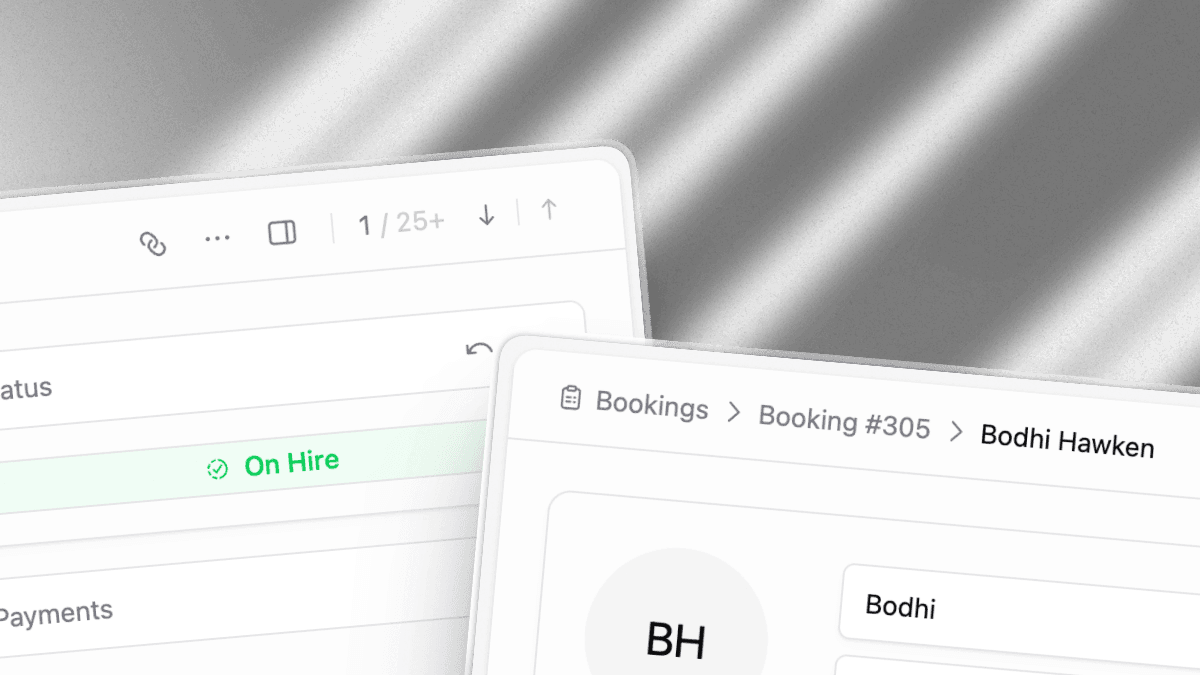
This weekend we’re releasing a quick quality update.
Lockii has grown extremely fast over the past few months, so we make sure to dedicate a few days after every development cycle to “Quick Wins & Quality”, this week we’ve focused on design and navigation as well as features to reduce some of the most repetitive jobs our operators do on a more infrequent basis.
Navigation Improvements
We spent the weekend obsessing over navigation throughout Lockii with an eye to cutting down clicks and visual noise on important pages, especially for operators with higher booking volumes. You’ll notice improved breadcrumbs on every surface as well as better quick navigation prompts where relevant to help you jump between bookings.
We also did another design pass on all our important components including our icon library and spacing library. You should see minor but meaningful changes to icons through the entire backend along with spacing throughout the backend being standardized even further!
You’ll also find improvements to the information hierarchy on every single one of our pages. We’ve also spent some time on our filtering system making sure that filters stay when you expect them to, and clear in a more intuitive way!
Marketplace Importer
You can now import bookings directly from external marketplaces instead of recreating them by hand. The importer pulls in customer details, products, locations and pickup and return dates cutting down the time it takes to bring bookings onto the platform.
For marketplaces we don’t have direct integrations with simply setup email auto forwarding for the relevant sender addresses to your Lockii account and we’ll auto import all the relevant details before handing them over to you for review.
Smart Payments Recovery
As part of our latest partnership with Stripe we’ve expanded our payments charging system to support revenue recovery. when saved cards reject charges, we use a machine learning model trained on millions of payments to help inform when charging a customers card will be most successful and attempt new charges until the payment succeeds, or the bank directs us to stop attempting recovery.
Pricing & Product Details
Pricing tier displays and the customer pricing tier overlay are clearer and easier to read. Pickup and return steps can now be set per item, and minimum age requirements can be configured per listing. Also added the ability to configure pickup and return steps on a per product basis.
ID Verification & Insurance
Improved the ID collection flow for clearer guidance and fewer drop-offs
Added insurance verification support to the mobile app
Account & Reviews
Reworked login and logout UI for a cleaner, more consistent flow
Introduced a new reviews experience
Fixes
Fixed data loss when navigating away from a form before saving
Improvements to the google analytics data layer and custom tracked events
Downloaded images now include a .jpg extension for easier import into other platforms
Fixed oversized upload titles, an ugly "more instructions" button, and order terms wrapping below order details on mobile
Enlarged the "Try again" and "Contact" buttons for easier tapping on failure states.
Cleaned up customer-facing icon alignment and general layout alignment issues across the app
Addressed several mobile UI issues and refreshed a set of icons for better readability.
Improved product and stock editing.
Updated Stock page to be formatted better for managing stock than managing products.
raised the max image limit with safety warnings.
Improved payment method saving as well as saved account customer ID recovery.
Improved the pricing tier overlays
UI simplification on most of our tables and charts to make it easier to discover current statuses.
Refined bookings page fonts and text sizes.
Simplified customer table text sizes.
Standardized icon placement and gaps on all user facing tables.
Express Checkout & Accounts
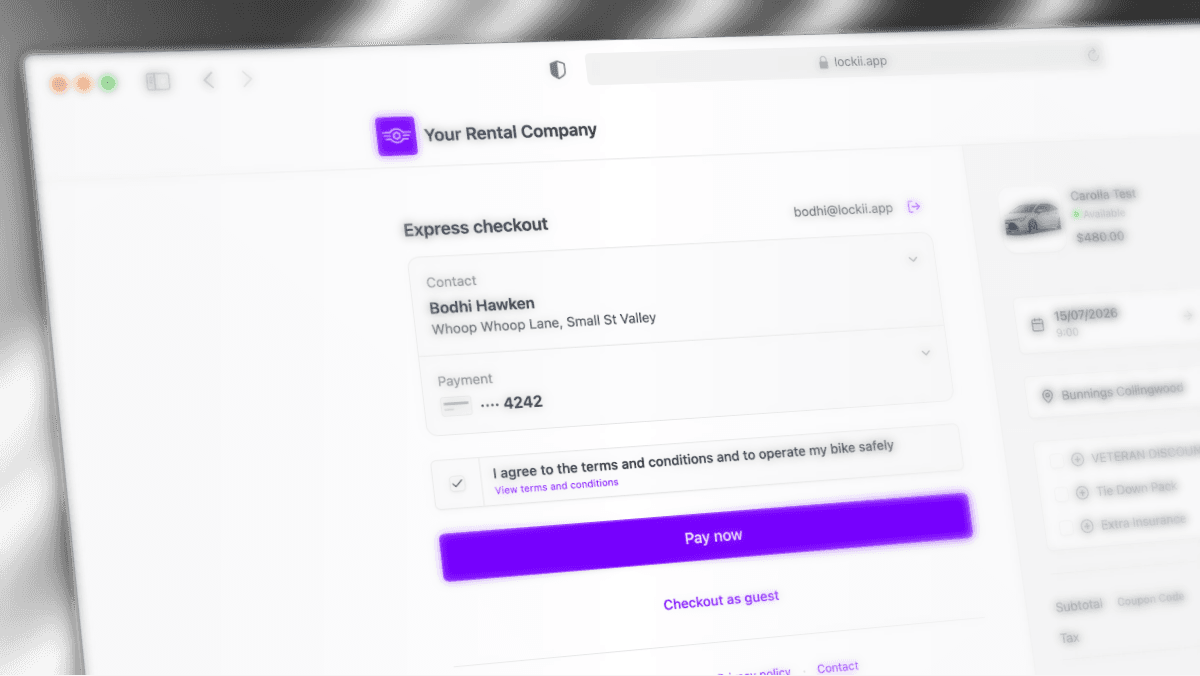
Express Checkout Expansion
We’ve partnered with Stripe to continue expanding and improve our checkout and express payment experiences. We’ve now enabled full express checkout for all operators, this allows returning customers, and first time cross-network customers to quickly checkout on your site using an authenticated email.
This means customers can also use these same details to authenticate when interacting with the rest of your store, including enabling express checkout options directly on your product pages as well as customer support chats and booking change request pages. This also means the existing customer account management pages receive a further speed increase!
We’ve seen anywhere from a 10% to 30% increase in checkout conversions in beta testing depending on the location and consistency of your customer base!
AI Customer Support Widget Beta
A new AI-powered support widget is now in beta for handling customer inquiries directly within the product, reducing the need to route common questions to your support team. The AI support chat can answer questions from your internal knowledge base as well as make meaningful changes to bookings, maintenance reports and help create new bookings for customers all while respecting your company policies, availability and processes.
Bookings & Payments
Fixed an issue where the full amount payment button did not process correctly.
Improved accuracy of order management money calculations.
Messages tied to a booking are now automatically cancelled if the booking changes before they're sent.
Last-minute bookings now prompt customers to go straight into the pickup process.
Availability patches applied to correct scheduling edge cases.
Bookings made manually will now require customers to agree to your terms and conditions before picking up their items and manual pickups without a signed document will now feature an alert for staff.
Locale & Product Visibility
Melbourne, Australia has been removed as a reference location
Products can now be hidden from public view.
The old product method has been disabled in favor of the current flow.
Fixes
Fixed Android Igloo unlock failures.
Fixed hydrate fallback behavior on client pages.
Location Access & Review Requests
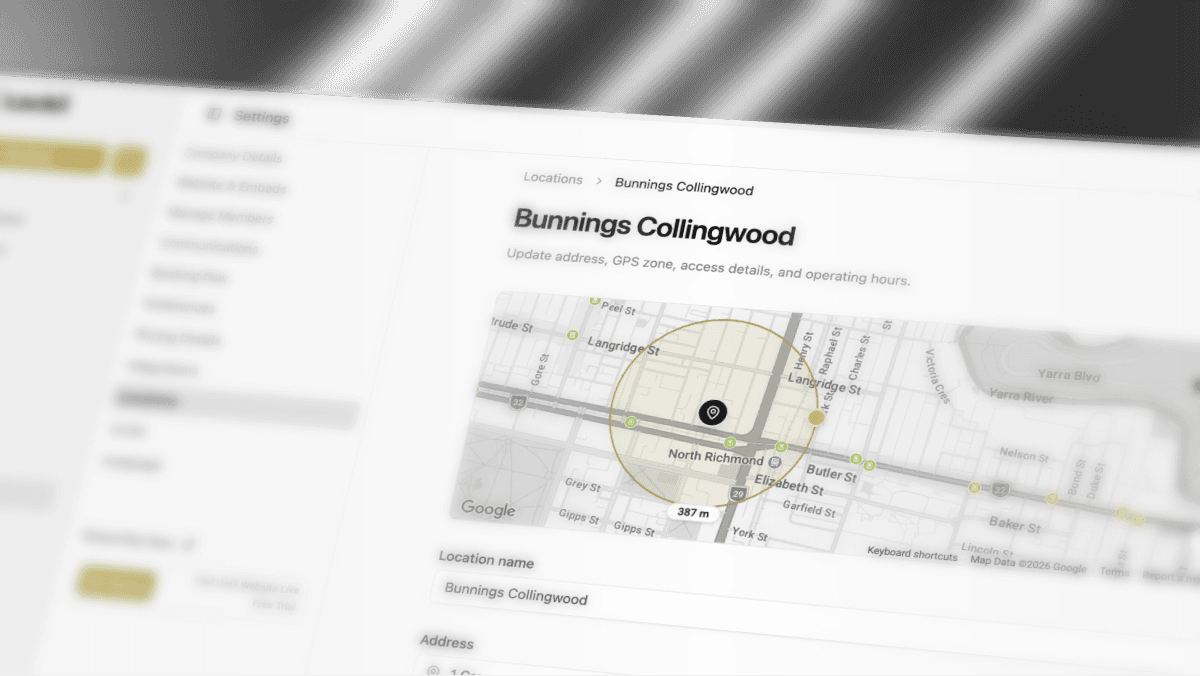
Location Access
Locations can now have a dedicated access lock and written access instructions for gates, parking, or site entry. Customers see a location access step before pickup when a location has an access lock configured, with PIN codes or smart lock controls alongside your instructions.
Google Review Requests
Add a Google review link to any location under Settings > Locations. After a successful return, customers with a positive experience are prompted to leave a review, helping you turn happy hires into public feedback without extra follow-up. You can also use these links dynamically in Lockii emails along with a filter to not send emails if we’ve detected the user might have had a less than stellar experience.
Location Zones & Tax
Location editing now includes a map-based zone radius editor so you can define the geographic area around each site. Per-location tax rate overrides are also available when a site needs a different rate from your company default.
Insurance Verification
Insurance verification is now more complete, with policy report access for verified customers and improved handling of manual insurance verifications on customer records.
Improvements
Handover proof documents include richer pickup and return detail for insurance and dispute use cases
Booking change request cancellations now process reliably through the full flow
Custom domain confirmation links copy correctly when sharing manual booking links
Google Analytics measurement protocol support for more accurate event tracking
Invoice layout and logo rendering improvements
Customer confirmation page UX refinements
Booking padding can also be configured in 15-minute increments
Settings editing has been refactored into dedicated edit panels for locations
Activity log timeline text is clearer for customer and booking changes
Improved android unlocking experience and button outlines
added ability to hide products from public viewing
Improvements to the joining process for users being added to existing accounts
Fixes
Fixed smart lock integration issues after the IoT rollout
Fixed return flow edge cases where bookings could complete before all steps were finished
Fixed standard API route parameter parsing
Fixed identity verification grace period to respect end-of-hire padding settings