
Lockii changelog
Item Map
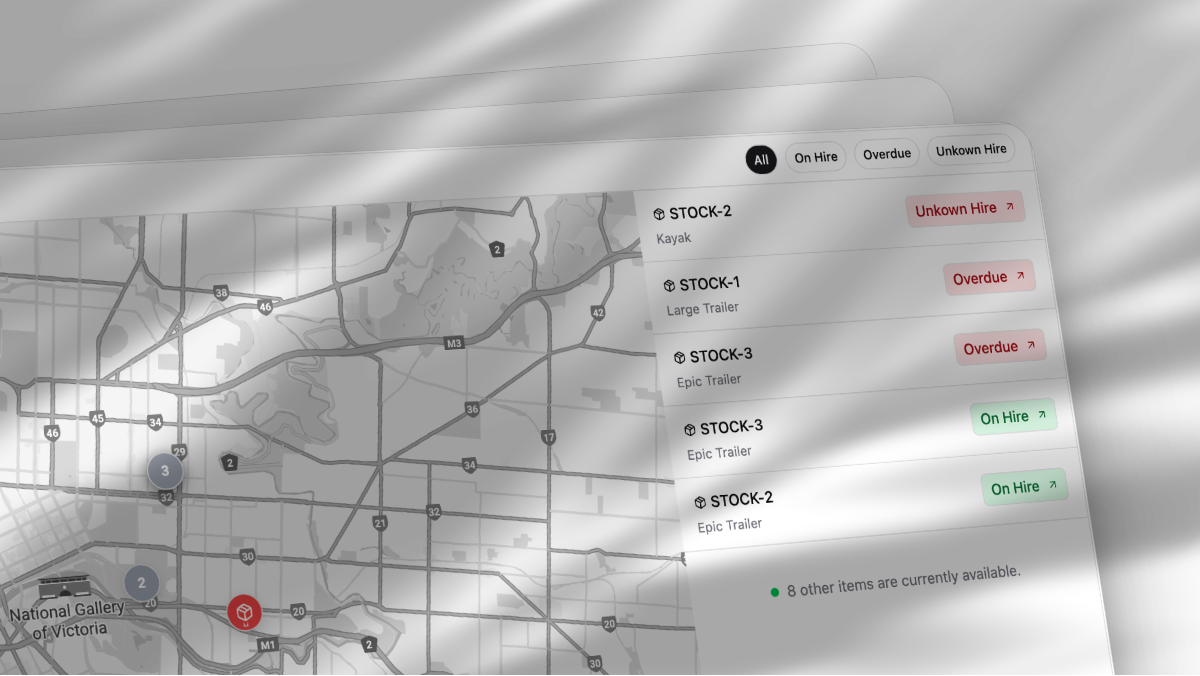
Item Map
View every active item on a live map with real-time status, location, and availability. You can filter by status, location group, date range, and tags to see what is out, due, reserved, or idle. Click any pin to open the item drawer with photos, upcoming bookings, maintenance holds, and quick links to orders and customers.
Maintenance
Plan, track, and complete maintenance with clearer workflows and better guardrails. You can create recurring schedules, attach checklists, and place availability holds. Each item keeps a basic service history with notes and dates, along with a photo history from every return so you can prove compliance and understand lifetime performance.
Improvements
API: Add Datafast events to webhooks so you can reconcile payments and trigger automations. Configure in Settings → Integrations
API: Twillio Integration lets you send SMS confirmations and reminders via Twilio. Go to Settings → Integrations → Twilio
Article: Do Case Studys to showcase workflows and outcomes you can replicate
Article: How to automate your rental business with iglooHome locks and Lockii, a practical step-by-step guide
Authentication: Verification Flow Customisation to tailor ID checks and messaging per risk level. Manage in Settings → Verification
Dashboard: Export quick links button for one‑click access to your most-used exports
Dashboard: Make Schedule More Visual with improved colors, density, and zoom for readability
Dashboard: Map View adds a dedicated panel for quick location context in daily operations
General: Early Return Stuff to release inventory sooner and adjust charges appropriately
Improvement: Add back to website button to checkout so buyers can easily return to your site
Improvement: Improve Top Right Buttons for clearer primary actions and faster access
Improvement: Updated customer checkout to be white labelled further
Interface: Display Order Number On Confirmation so customers can reference it immediately
Interface: Link to pricing details from item for quicker edits to pricing templates
Interface: Order Item Table Better with improved spacing, sorting, and inline actions
Interface: Ordering Of Addons so you control the display order for buyers
Interface: Product Image Click On Image to enlarge images for better detail
Notifications: Add an Email send rule for Add-ons to trigger targeted messages when specific add-ons are added
Search: No Customer on customer search should show create, adding a quick “Create customer” action when no match exists
Settings: Duplicate Pricing Templates to speed setup from existing configurations
Settings: Manual Codes to support custom coupon or access codes with defined rules
Settings: Updated From Old Domain Names for smoother redirects and recognition of legacy domains
Settings: White label checkout pages to run a fully branded checkout on your domain
Fixes
Bug: Fix Back To Website On Mobile so the back-to-website action appears and works on small screens
Bug: Random Ordering Of Stock Items On Product Page corrected to a consistent, predictable order
Bug: Fix Maintence Stock Searching so maintenance stock results return accurately
Bug: Fix Coupon Code Calc to compute totals correctly across discounts and taxes
General: Returning Fixes to ensure fees, inventory, and statuses update reliably during returns
Interface: Add-on icon not working properly now renders consistently across browsers
Interface: Overlapping fields resolved so inputs no longer collide on narrow screens
Mobile: Mobile sidebar fixes improve opening, layout, and scrolling on phones
Search: Check category filter so selections persist and results match the chosen category